I'm slowly getting back to posting videos on the channel. Most of them will be videos showing mods I've used or those being released for Fallout 3 (the ones I find interesting). No new playthroughs yet, but that's the plan for the next few months (and not just Fallout). There will still be a playthrough of Fallout: New Vegas and it will be so long that we'll all die of old age. I'm analyzing what I want to add to the game, the compatibility details, and more.
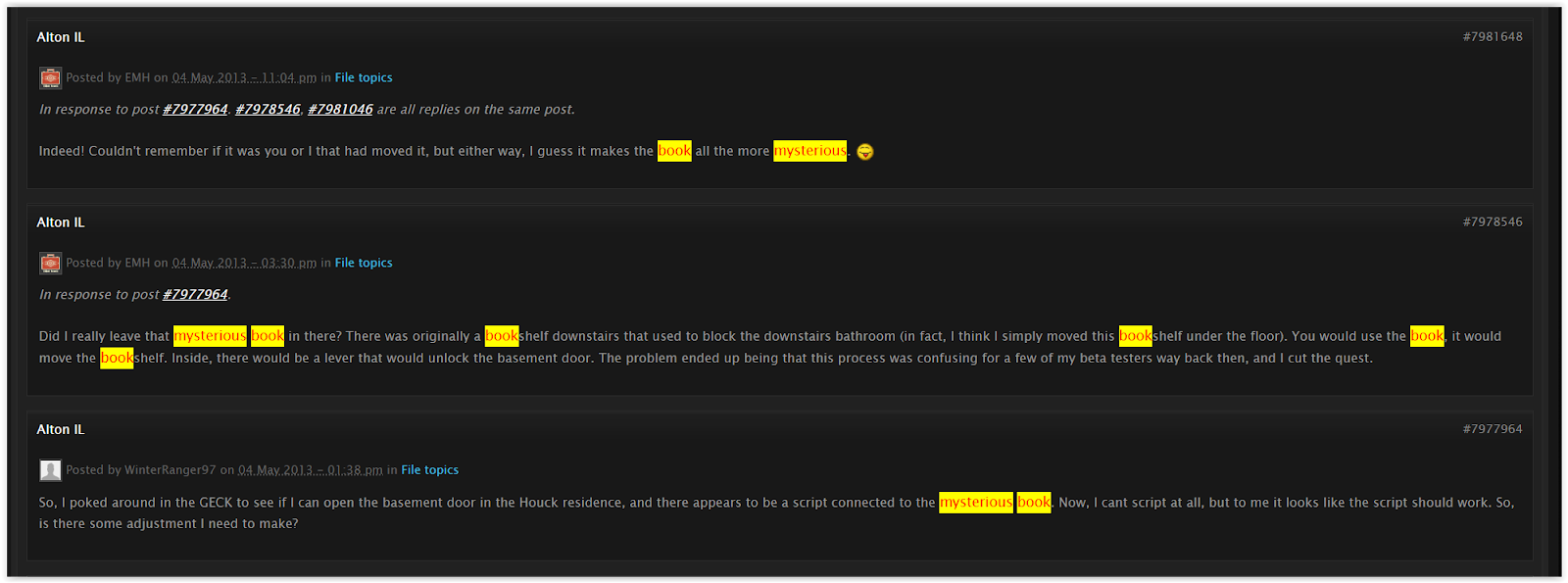
If you played the Alton mod for Fallout 3, chances are you found a Mysterious Book in Houck Residence (the southeast area of the map). If you try to pick the book, you'll hear an unlocking sound, but nothing happens. Upon some search in the comment section of the mod page (using the forum), I found that the content related to the book was cut before release. Ignore that book, and don't spend 15 minutes trying to figure things out (like I did).
I noticed the DTS Surround audio option was missing from my computer. After hours of searching for a solution, the video showed a quick solution.
In case you can't watch the video, follow the instructions below:
1 - Download the latest version of APO Driver (your version will probably be x64).
2 - Extract the executable from the zip/rar. Maybe Windows or Antivirus wants to fight the program, so disable or put APO as an exception or in a white list.
3 - Run the program and advance (Add or Remove) until you reach the window below. Select DTS Connect APO and DTS Digital Entertainment. Click Next and wait for the program to complete the process before closing.
4 - Open FXConfirgurator and select Realtek Digital Output (Realtek High Definition Audio) as in the images below. Go to the bottom right corner, and under Tool, click on Product Config Tool select DTS Connect (SPDIF), and click "Apply ProductSettings to Selected End Points."
5 - Go to "Sound" and select the DTS Interactive option. Now you can send the 5.1 signal through the SPDIF output (Optical Cable) and to your Home Theater.
For some reason, I could no longer start GTA San Andreas with RoSA installed. The game only worked when the folder "RoSA Project Evolved - Exterior" was disabled in the ModLoader.
After scouring the internet for a solution, I found that the mod NoDep solved the problem. The Windows Data Execution Prevention (DEP) prevented the mod from working (probably the "ImgLimitAdjuster.asi" file).
I extracted the "_noDEP.asi" to the game folder, and everything is fine.
I just learned about this, but it appears that the source code for Fallout (1997) - which many believed was lost forever - has been found on an old computer. This was revealed by Tim Cain when responding to a comment in one of his videos.
The ITSOTS mod accidentally moves a DLC04WaterPlane01 in the X and Y axis. It’s next to the cave the mod adds to the location (aaxPungaCaveExt). The result is a visible darker square and seams in the sea.
The ID of the water plane is 0401237B
The ID at the top is from some object on the ground. I use it to know which cell I am in.
The ID at the top is from the red buoy. I use it to know which cell I am in.
I used Fo3Edit to copy the values from the left column to the right column (see the first picture). Remember to save the changes before quitting the program. Always back up your files.
Fo3Edit screen. This is how it looks after I copy the values.
The dark square at the center no longer exists. Ignore the lack of reflections in the distant water.
I was generating LOD for Point Lookout (Fo3LodGen), and everything seemed fine until I found a floating above the trees. It was a LOD mesh of the DLC04WaterPlane.
The ID at the top is from some object on the ground. I use it to know which cell I am in.
Incorrect value in the Z axis. The ID of the DLC04WaterPlane01 is 36026D8D.
I used Fo3Edit to change the value of the Z axis to -3228.
The correct value.
Point Lookout Reborn edits a DLC04WaterPlane01 below the Ferris wheel. The plane ID is 04012331.
The ID at the top is from some object on the ground. I use it to know which cell I am in.
The way to correct the issue is the same. I change the Z value in FO3Edit to -3228.
The ID of the water plane is 04012331.
If you see a plane floating in the sky that disappears when you approach it, that may be the problem. That is all for today.